← Back to Tools
Testsprite-MCP
TestSprite MCP gives Cursor or Claude code full testing superpowers
try Testsprite-MCP
try christmas greeting generator
First MCP Test
Experience the magic of TestSprite MCP Server with your first automated test in under 10 minutes.
By the end of this guide, you'll have run your first automated test suite, seen AI generate comprehensive test plans, watched tests execute in the cloud, received detailed test reports, and applied automatic bug fixes.
Step 1: Prepare Your Project
Start Your Application - Make sure your application is running locally:
# For frontend applications (examples)
npm run dev          # Usually runs on port 3000, 5173, or 8080

# For backend applications (examples)
node index.js # Usually runs on port 8000, 3001, or 4000my-project/
├── frontend/ # React, Vue, Angular, etc.
│ ├── src/
│ ├── package.json
│ └── ...
├── backend/ # Node.js, Python, etc.
│ ├── app.py
│ ├── requirements.txt
│ └── ...
├── README.md
└── package.jsonStep 2: The Magic Command
Open your IDE Chat and follow these steps:
- Open a new chat window in your IDE
- Type the magic command:
Can you test this project with TestSprite?- Drag and drop your project folder into the chat if you'd like to test a specific sub-project
- Press ⇧ Enter
That's it! Your AI assistant will now take over and guide you through the entire testing process.
Step 3: Configuration (Required)

When the bootstrap tool opens, you must configure:
- Testing Type
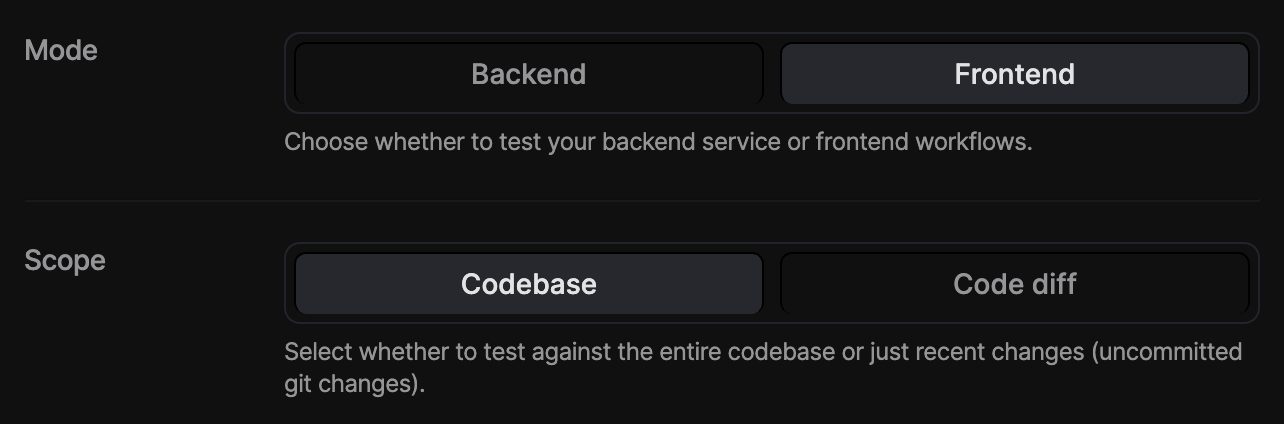
* **Backend**: Select this if you want to test your APIs, services, or server logic.- Test Account Credentials - If your app requires login:
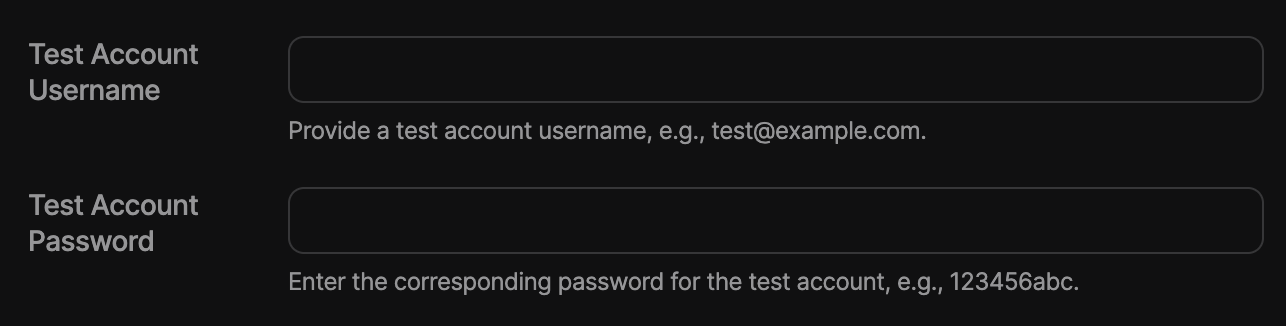
```json Crediential Examples theme={null}
  Username: [email protected]
  Password: your-test-password
```
<div className="full-width-table">
  <div className="table-header">Authentication Type</div>
  <div className="table-header">Description</div>
  <div className="table-cell">**Basic**</div>
  <div className="table-cell">Uses username & password</div>
  <div className="table-cell">**Bearer**</div>
  <div className="table-cell">Secure token-based authentication</div>
  <div className="table-cell">**API-key**</div>
  <div className="table-cell">Uses a unique API key for access</div>
  <div className="table-cell">**None**</div>
  <div className="table-cell">No authentication required</div>
</div>- Application URLs:

Frontend: http://localhost:5173
Backend: http://localhost:4000- Product Requirements Document
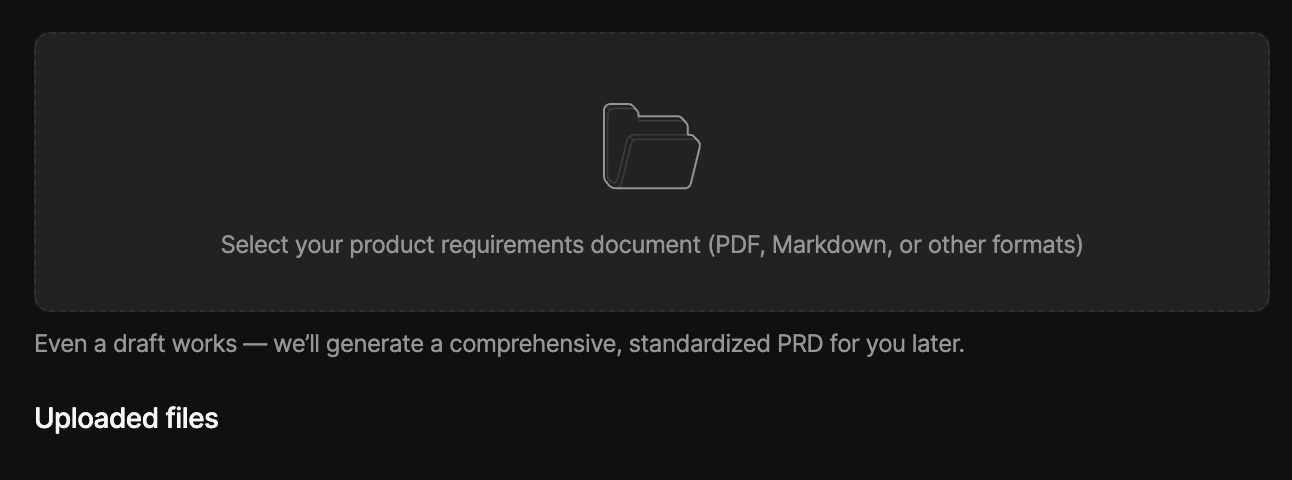
Upload existing PRD (required). Even a draft or low-quality PRD is fine. TestSprite AI will generate a normalized PRD based on your upload.
Step 4: The Automated Workflow
Your AI assistant will automatically handle the entire testing process by running through these steps. It takes care of everything from understanding your project to running the actual tests, so you don't have to do any of the work manually.
Learn more about details steps at Testing Workflow.
Step 5: Review Test Results
After testing, you'll find these files in your project:
testsprite_tests/
├── tmp/
│   ├── prd_files/                 # Uploaded PRD files
│   ├── config.json               # Test configuration
│   ├── code_summary.json         # Code analysis
│   ├── report_prompt.json        # AI analysis data
│   └── test_results.json         # Detailed test results
├── standard_prd.json             # Normalized PRD
├── TestSprite_MCP_Test_Report.md # Human-readable report
├── TestSprite_MCP_Test_Report.html # HTML report
├── TC001_Login_Success_with_Valid_Credentials.py
├── TC002_Login_Failure_with_Invalid_Credentials.py
└── ...                           # Additional test files
Understanding Test Results - The test report shows overall coverage, pass rate, failed tests with detailed failure analysis, and categories (Functional, UI/UX, Security, Performance).
Step 6: Automatic Bug Fixes
Request Fixes - After reviewing the test results, simply ask:
Please fix the codebase based on TestSprite testing results.The AI will analyze failing tests, identify problematic code sections, apply targeted fixes automatically, re-run tests to verify fixes, and iterate until issues are resolved.
Example Output
Test Plan Generated:
{
  "testCases": [
    {
      "id": "TC001",
      "title": "User Authentication Login",
      "description": "Test user login with valid credentials",
      "category": "Functional",
      "priority": "High",
      "steps": [
        "Navigate to login page",
        "Enter valid username and password",
        "Click login button",
        "Verify successful login"
      ]
    }
    // ... 17 more test cases
  ]
}
Test Report Summary:
{
  "summary": {
    "totalTests": 18,
    "passed": 12,
    "failed": 6,
    "passRate": "67%",
    "coverage": "85%"
  },
  "failures": [
    {
      "testId": "TC005",
      "title": "Admin Panel Access",
      "error": "Button not found: #admin-delete-btn",
      "recommendation": "Add missing delete button in admin panel"
    }
  ]
}
Tips for Success
Next Steps
Congratulations! You've successfully run your first automated test with TestSprite MCP Server.