The world of AI-powered creativity is moving at lightning speed, and turning a static image into a dynamic, story-driven video is no longer science fiction. Today, Google's Veo model takes a giant leap forward with the Veo 3.1 Ingredients to Video update. This release is all about giving you more consistency, creativity, and control, transforming your images into expressive videos with unprecedented ease.
Whether you're a casual storyteller creating content for social media or a professional filmmaker pushing creative boundaries, these new updates provide powerful tools to bring your vision to life.
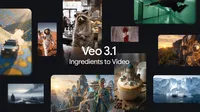
Supercharging "Ingredients to Video"
The core of this update is a massive improvement to the feature that lets you create videos from reference images. Your creations will now feel more alive, coherent, and visually stunning.
Turn Images into Fun, Shareable Clips
With Veo 3.1, even short, simple prompts can generate incredibly dynamic and engaging videos from your source images. The model now understands how to create richer dialogue and storytelling, making your video clips feel more natural and expressive.
Maintain Consistent Characters and Backgrounds
One of the biggest challenges in AI video has been consistency. Veo 3.1 makes significant strides here:
Identity Consistency: Keep your characters looking the same even as the setting or action changes. This is a game-changer for telling a complete narrative, allowing the same character to appear across multiple scenes seamlessly.
Background and Object Consistency: Maintain the integrity of your scene. You can now control the setting and the objects within it, or even reuse an object, background, or texture across different shots for a cohesive look.
Seamlessly Blend Creative Elements
Unleash your creativity by combining disparate elements into a single, high-impact clip. Veo 3.1 can take characters, objects, textures, and stylized backgrounds and blend them into a cohesive and believable scene.
Pro tip: Use the new Nano Banana Pro (Gemini 3 Pro Image) in the Gemini app or Flow to create your initial "ingredient" images. You can then use these high-quality starting points to generate stunning videos with Veo 3.1.
Create High-Fidelity Visuals with Upgraded Capabilities
Beyond creative expression, Veo 3.1 introduces professional-grade quality options and formats optimized for today's most popular platforms.
Native Vertical Video for Mobile-First Storytelling
For the first time, "Ingredients to Video" supports generating videos in a native 9:16 aspect ratio. If you're creating content for YouTube Shorts, Instagram Reels, or TikTok, you can now produce high-quality, full-screen vertical videos without awkward cropping or loss of quality.
State-of-the-Art Upscaling to 1080p and 4K
Take your productions to the next level. Veo 3.1 now offers state-of-the-art upscaling for broadcast-ready resolution.
1080p: Generate sharper, cleaner video that's perfect for most online platforms and editing workflows.
4K: For high-end productions and large screens, choose 4K to capture rich textures and stunning clarity in every frame. 1
Where to Try These Updates Today
Google is rolling out these powerful new capabilities across a wide range of products and services, tailoring access to different workflows.
For Consumers and Creators: You can now find Veo 3.1 "Ingredients to Video" directly in YouTube Shorts and the YouTube Create app. The enhanced features and portrait mode are also available in the Gemini app starting today.
For Professional and Enterprise Workflows: The enhanced features and native vertical support are rolling out to Flow, the Gemini API, Vertex AI, and Google Vids. The 1080p and 4K upscaling options are available on Flow, the API, and Vertex AI.
A Commitment to Transparency with SynthID
With the rise of generative AI, transparency is more important than ever. Google remains committed to providing tools to help identify AI-generated content. Videos created with Google's tools are embedded with SynthID, an imperceptible digital watermark.
Furthermore, the verification tool in the Gemini app has been expanded to include video. You can now upload a video and ask if it was generated with Google AI, fostering a more transparent and trustworthy digital ecosystem. You can learn more in this blog post about verifying AI content.
1 Upscaling to 1080p and 4K is only available in Flow, the Gemini API and Vertex AI.