13 Essential Tips from Boris Cherny
Introduction
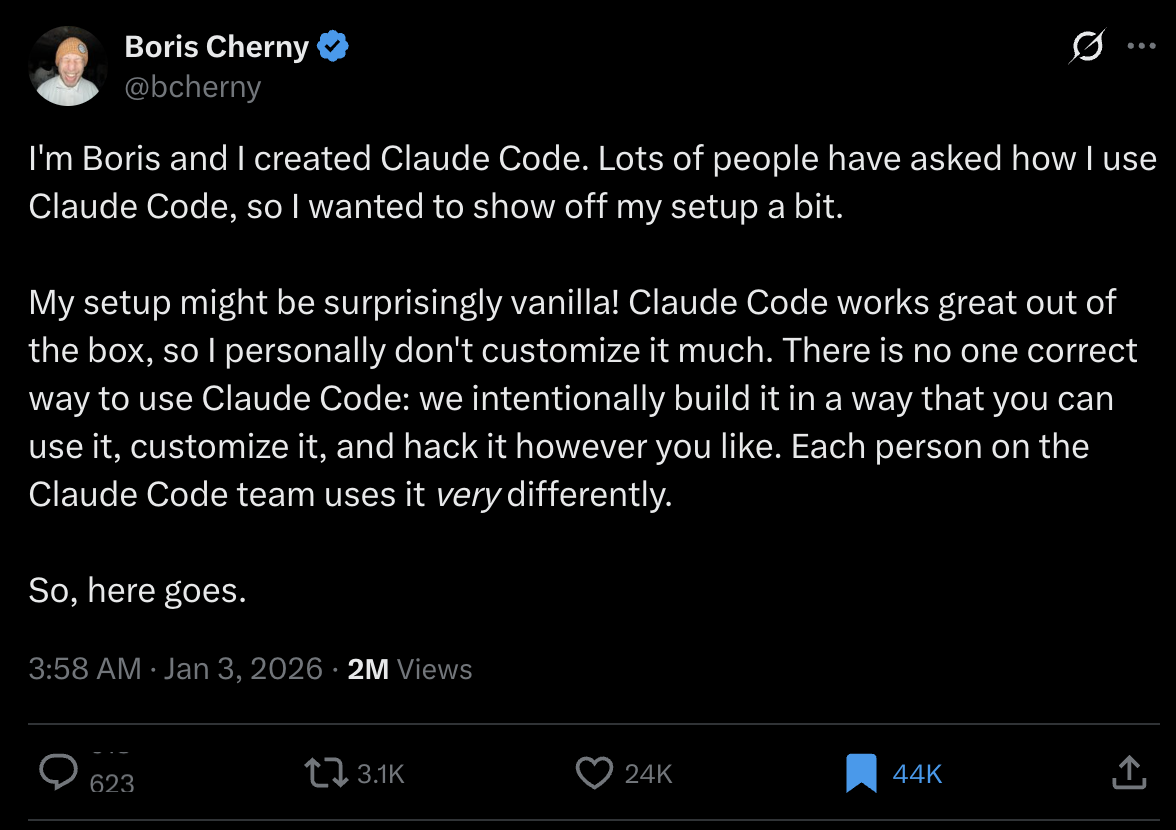
When it comes to understanding how to truly maximize Claude Code's potential, there's no better teacher than Boris Cherny—the creator of Claude Code itself. Recently, Boris shared an intimate look at his personal workflow, revealing how he uses the tool he built to ship code faster and more efficiently.
Interestingly, Boris's setup is surprisingly vanilla. "Claude Code works great out of the box, so I personally don't customize it much," he explains. This is an important insight: there's no single "correct" way to use Claude Code. The team intentionally built it to be flexible, allowing each person to adapt it to their unique workflow. In fact, every member of the Claude Code team uses it differently.
What follows are 13 essential tips from Boris's daily workflow—practical strategies that have been battle-tested in building Claude Code itself. Whether you're new to Claude Code or looking to optimize your existing setup, these insights offer a roadmap to working more effectively with AI assistance.
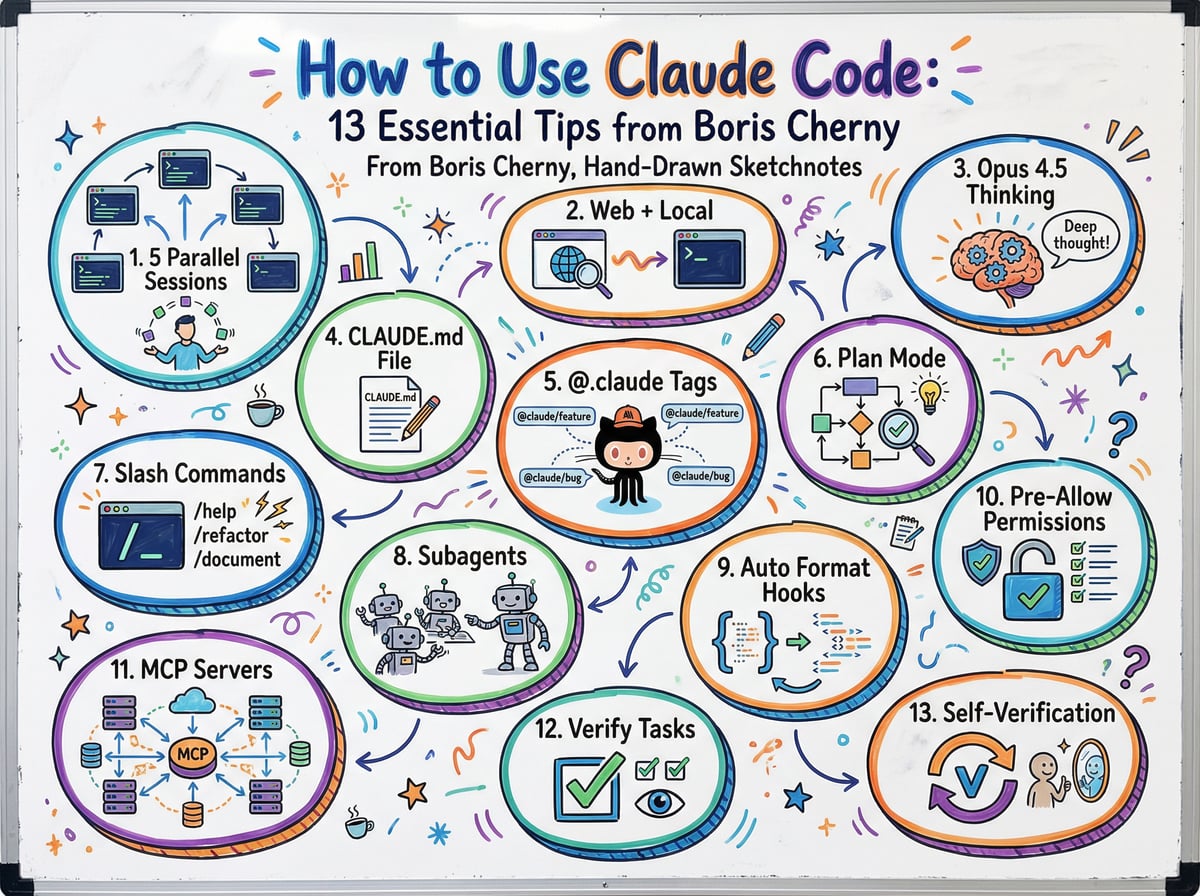
1. Run Multiple Claude Sessions in Parallel
One of Boris's core strategies is running 5 Claude instances simultaneously in his terminal. Each tab is numbered 1-5, making it easy to track which Claude is working on what task.
To manage this multi-Claude workflow effectively, Boris uses system notifications that alert him when a Claude needs input. This prevents the common problem of forgetting which session was waiting for a response.
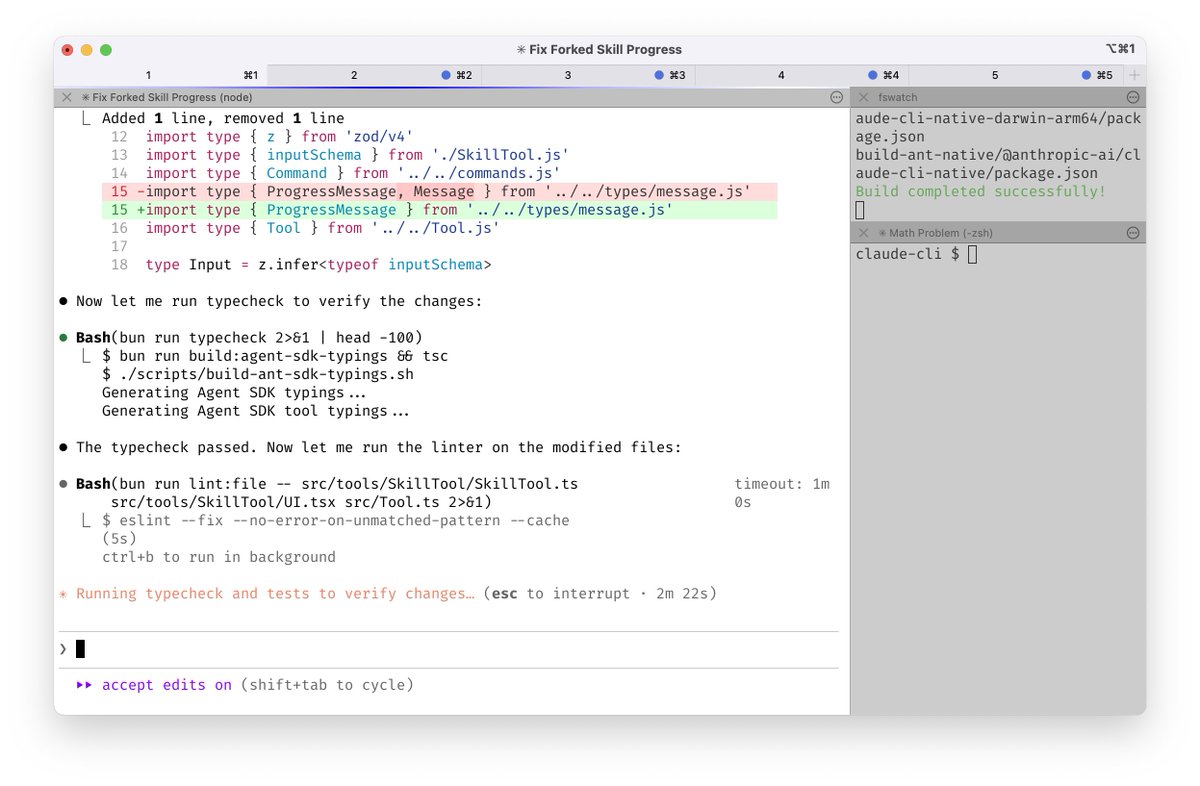
Why this works: Rather than waiting for one Claude to finish before starting the next task, you can parallelize your work. While one Claude is processing a complex refactoring, another can be writing tests, and a third can be researching an API integration.
Learn more: Claude Code terminal configuration with iTerm2 notifications
2. Combine Local and Web Sessions
Boris doesn't stop at terminal sessions—he also runs 5-10 Claudes on claude.ai/code in parallel with his local instances. This hybrid approach gives him maximum flexibility.
His workflow includes:
Handing off local sessions to the web using the
&commandManually kicking off sessions in Chrome
Using
--teleportto move sessions between environmentsStarting sessions from his phone via the Claude iOS app throughout the day
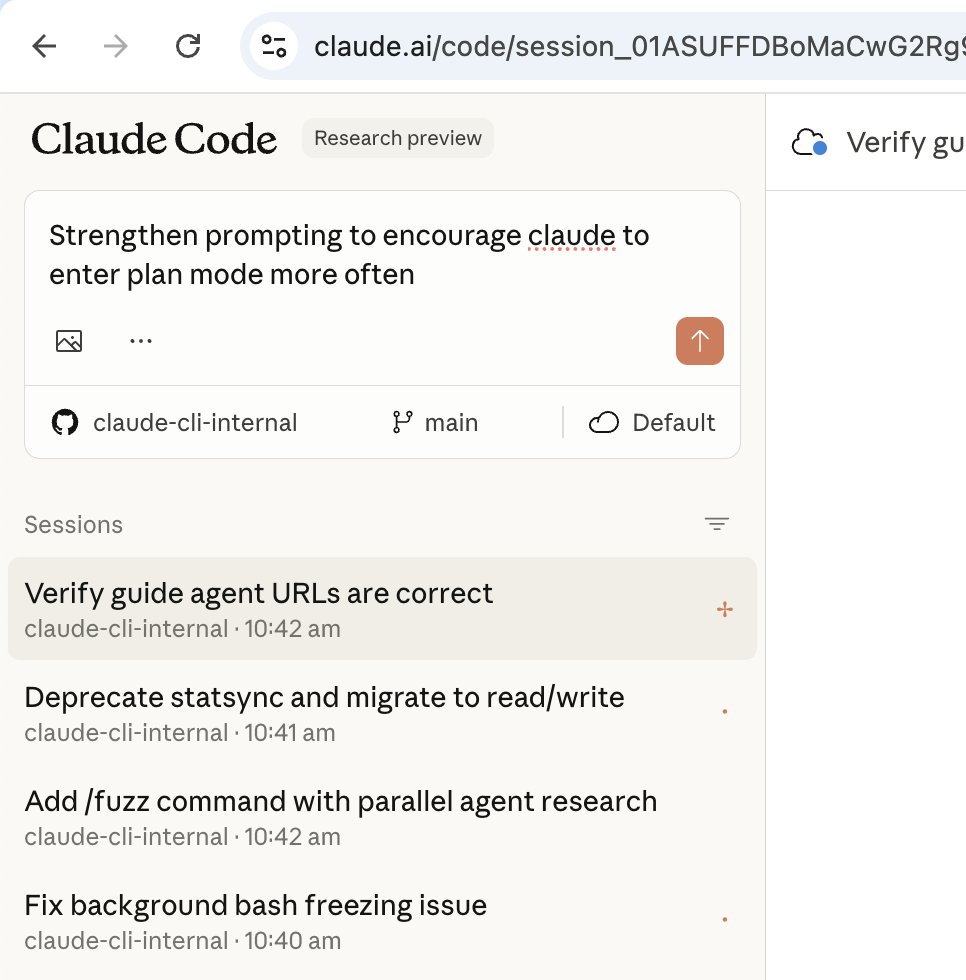
Why this works: Different tasks suit different environments. Complex coding tasks might start in the terminal, but when you need to share progress with teammates or work from a different device, the web interface is ideal. Starting sessions from mobile means work continues even when you're away from your desk.
3. Use Opus 4.5 with Thinking for Everything
When it comes to model selection, Boris has a clear preference: Opus 4.5 with extended thinking enabled, for everything.
"It's the best coding model I've ever used," Boris states. "Even though it's bigger and slower than Sonnet, since you have to steer it less and it's better at tool use, it is almost always faster than using a smaller model in the end."
Why this works: The counterintuitive insight here is that a "slower" model can actually save time overall. Opus 4.5's superior reasoning means fewer back-and-forth corrections, fewer misunderstandings, and better first-attempt code quality. The upfront time investment in thinking pays dividends in reduced iteration cycles.
4. Maintain a Team-Shared CLAUDE.md File
The Claude Code team maintains a single CLAUDE.md file that's checked into git. This file serves as a living knowledge base that the whole team contributes to multiple times a week.
The system is simple but powerful: "Anytime we see Claude do something incorrectly, we add it to the CLAUDE.md, so Claude knows not to do it next time."
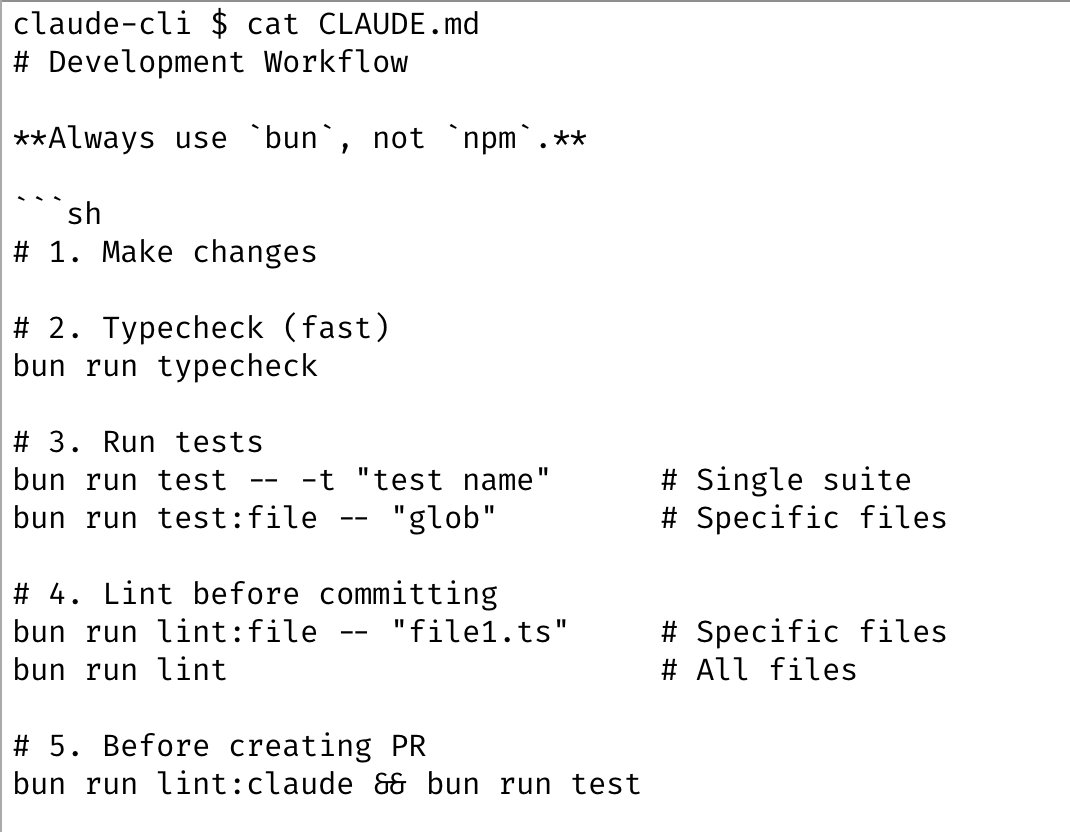
Why this works: This creates a compounding effect where the team's collective experience guides all future Claude interactions. Instead of individuals repeatedly teaching Claude the same lessons, the knowledge is centralized and shared. New team members benefit from accumulated wisdom immediately.
Key principle: Think of CLAUDE.md as your team's style guide meets troubleshooting database for AI collaboration.
5. Use @.claude Tags in Code Reviews
During code reviews, Boris often tags @.claude on colleagues' pull requests to suggest additions to the CLAUDE.md file as part of the PR itself. The team uses the Claude Code GitHub action (/install-github-action) for this workflow.
Boris describes this as "our version of @danshipper's Compounding Engineering"—a system where improvements compound over time.
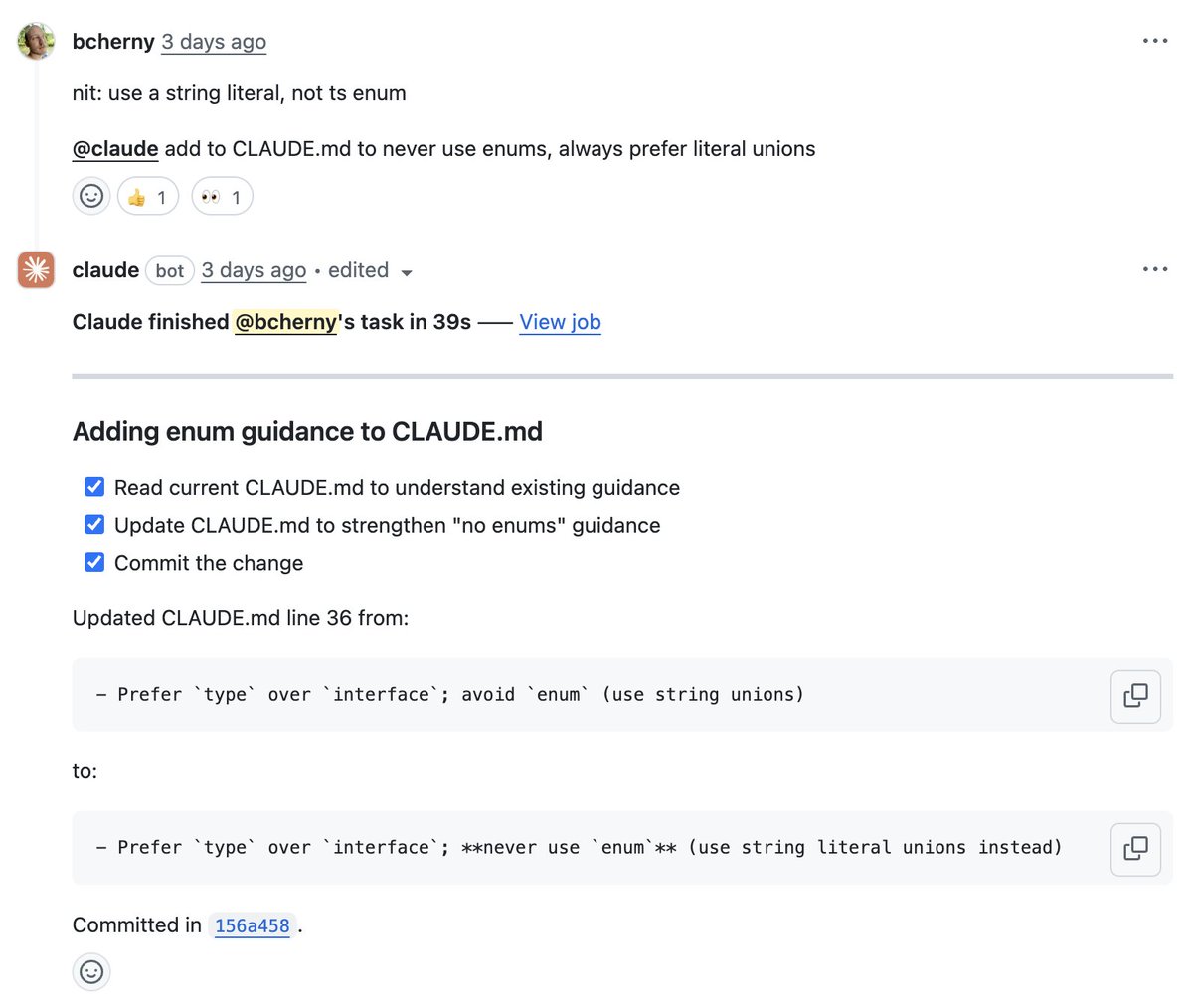
Why this works: This integrates AI workflow improvements directly into the code review process. Instead of improvements being ad-hoc or forgotten, they become part of the standard development cycle. Every PR becomes an opportunity to make future development smoother.
6. Start Sessions in Plan Mode
Most of Boris's sessions start in Plan mode (activated by pressing shift+tab twice). When his goal is to write a Pull Request, he uses Plan mode to iterate with Claude on the approach before writing any code.
"I go back and forth with Claude until I like its plan. From there, I switch into auto-accept edits mode and Claude can usually 1-shot it. A good plan is really important."
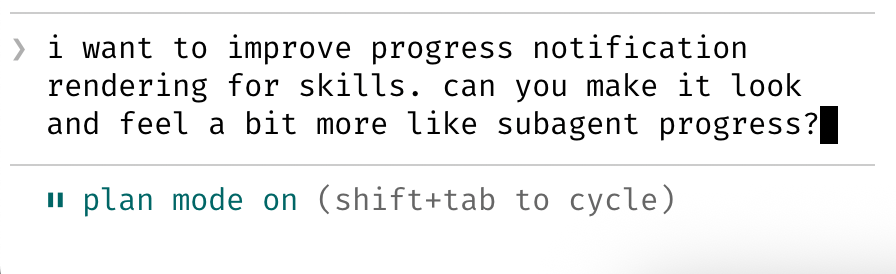
Why this works: This separates thinking from execution. By getting alignment on the approach first, you avoid wasted effort on code that solves the wrong problem or uses the wrong architecture. Once the plan is solid, implementation becomes straightforward.
Best practice: Think of Plan mode as your strategy phase—cheap to iterate, high value to get right.
7. Create Slash Commands for Inner Loop Workflows
Boris uses slash commands for every "inner loop" workflow that he performs many times a day. These commands serve two purposes: they save him from repeated prompting, and they make these workflows available to Claude as well.
All commands are checked into git and live in .claude/commands/, making them team-shared resources.
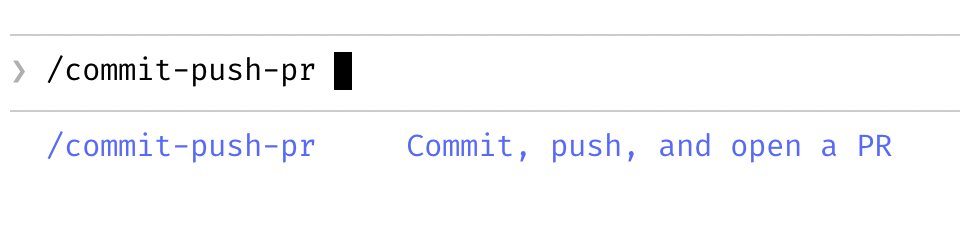
Why this works: By codifying repeated workflows as commands, you:
Eliminate the cognitive load of remembering and typing prompts
Ensure consistency in how tasks are performed
Enable Claude to invoke these workflows autonomously when needed
Create reusable automation that compounds over time
Examples of good command candidates: Common testing routines, deployment checks, code formatting standards, documentation generation patterns.
8. Leverage Subagents Regularly
Boris uses several subagents as part of his daily workflow:
code-simplifier: Simplifies code after Claude finishes working
verify-app: Contains detailed instructions for testing Claude Code end-to-end
And others for specific repetitive tasks
"Similar to slash commands, I think of subagents as automating the most common workflows," Boris explains.
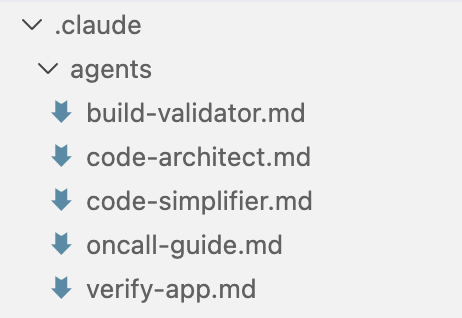
Why this works: Subagents encapsulate specialized expertise for specific tasks. Instead of remembering all the details of how to properly test a feature or simplify complex code, you delegate to a subagent that has those instructions baked in.
Key difference from commands: Subagents are more sophisticated—they can make decisions, use multiple tools, and handle complex multi-step workflows autonomously.
9. Use PostToolUse Hooks for Automatic Formatting
The team uses a PostToolUse hook to automatically format Claude's code. While Claude usually generates well-formatted code out of the box, the hook handles the final 10% to ensure consistency and avoid formatting errors in CI.
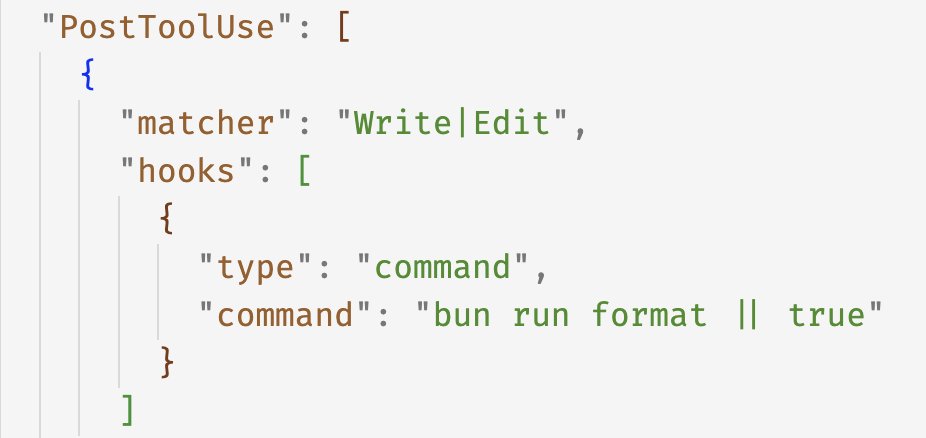
Why this works: This eliminates an entire category of PR feedback and CI failures. By automating formatting at the tool use level, code is consistently formatted before it even reaches version control. This reduces friction and keeps the focus on meaningful code review feedback.
Best practice: Set up formatting hooks early in your project to prevent formatting inconsistencies from accumulating.
10. Pre-Allow Commands Instead of Skipping Permissions
Boris doesn't use the --dangerously-skip-permissions flag. Instead, he uses /permissions to pre-allow common bash commands that he knows are safe in his environment.
Most of these permissions are checked into .claude/settings.json and shared with the team, creating a balance between safety and efficiency.
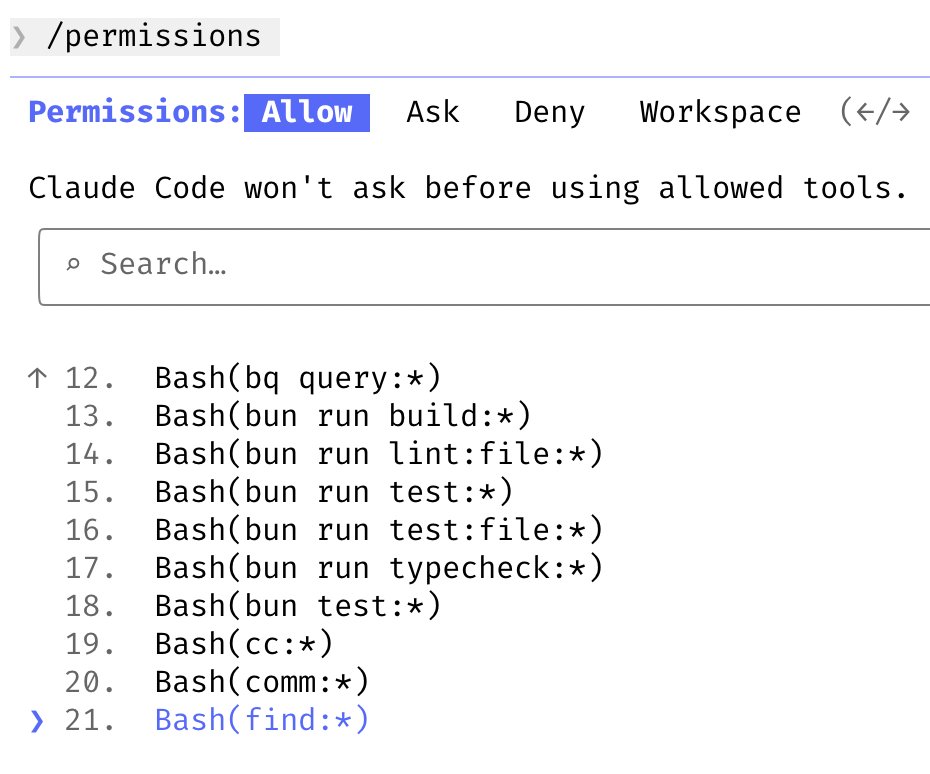
Why this works: This approach maintains security while reducing friction. Rather than blindly trusting all commands (dangerous) or manually approving every command (tedious), you explicitly allowlist the commands you use regularly. The team shares this allowlist, so new members don't have to rebuild it from scratch.
Safety principle: Start conservative and add permissions as you discover safe, frequently-used commands.
11. Use All Tools via MCP Servers
Boris extends Claude Code's capabilities by integrating it with various tools through MCP (Model Context Protocol) servers. This allows Claude to interact with the team's entire development ecosystem.
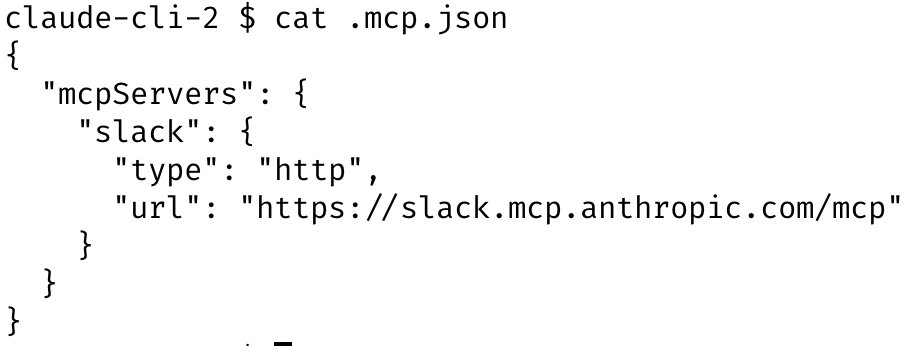
"Claude Code uses all my tools for me. It often searches and posts to Slack (via the MCP server), runs BigQuery queries to answer analytics questions (using bq CLI), grabs error logs from Sentry, etc."
The Slack MCP configuration is checked into .mcp.json and shared with the team, ensuring everyone benefits from the same integrations.
Why this works: By giving Claude access to your actual development tools, you eliminate context switching. Instead of manually checking Slack, querying analytics, or pulling error logs from Sentry, Claude can do all of this autonomously as part of its problem-solving process. This creates a more seamless workflow where Claude operates as a true team member with access to the same resources.
Key integrations to consider:
Communication tools (Slack, Discord)
Analytics platforms (BigQuery, custom databases)
Error tracking (Sentry, Datadog)
CI/CD systems
Documentation platforms
12. Verify Long-Running Tasks
For tasks that run for extended periods, Boris has developed strategies to ensure quality without constant manual supervision.
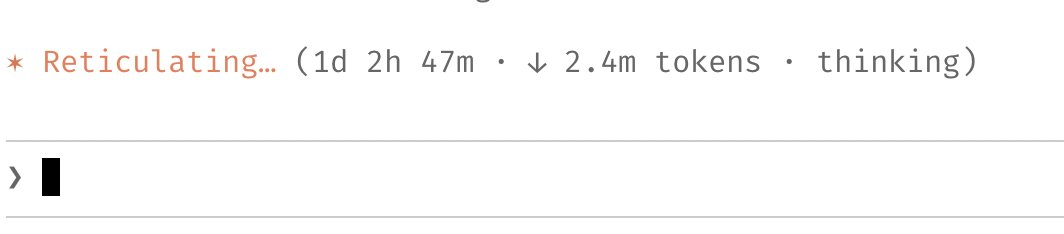
"For very long-running tasks, I will either (a) prompt Claude to verify its work with a background agent when it's done, (b) use an agent Stop hook to do that more deterministically, or (c) use the ralph-wiggum plugin (originally dreamt up by @GeoffreyHuntley)."
Why this works: Long-running autonomous sessions are powerful but can drift off course over time. By building verification into the workflow—either through explicit prompting, Stop hooks, or plugins like ralph-wiggum—you create checkpoints that catch issues before they compound. This allows Claude to run for hours or even days while maintaining quality and staying on track.
Three verification strategies:
Manual prompting: Ask Claude to verify its work when complete
Stop hooks: Automatic verification triggers at session end
Plugins: Tools like ralph-wiggum that enable continuous iteration and self-checking
Best practice: The ralph-wiggum plugin, mentioned by Boris, forces Claude Code to iterate continuously, making it ideal for complex tasks that benefit from multiple refinement passes.
13. Give Claude a Way to Verify Its Work
Boris saves his most important tip for last: "Probably the most important thing to get great results out of Claude Code—give Claude a way to verify its work."
This principle underlies many of the previous tips: the shared CLAUDE.md file, the testing commands, the subagents, the formatting hooks. Each provides Claude with a mechanism to check its own output.
Why this works: Without verification mechanisms, Claude operates in the dark—it can't distinguish between code that works and code that doesn't. By providing ways to verify (tests, linters, type checkers, running the actual application), you enable Claude to self-correct and iterate toward correct solutions. This transforms Claude from a code generator into a problem solver.
Verification mechanisms to implement:
Automated test suites that Claude can run
Type checking and linting tools
Application preview/testing environments
CI/CD pipelines that provide feedback
Dedicated verification subagents or commands
The compounding effect: When Claude can verify its work, it learns what works and what doesn't. This learning, captured in your CLAUDE.md and workflow patterns, compounds over time—making each subsequent task easier and more reliable.
Essential Resources
To implement the strategies Boris shared, here are the key resources you'll need:
1. Claude Code Web
Run Claude Code directly in your browser without installation. Perfect for getting started or working across devices. As Boris mentioned in Tip 2, he runs 5-10 web sessions in parallel with his terminal sessions for maximum flexibility.
2. CLAUDE.md Documentation
https://code.claude.com/docs/en/claude-md
Official documentation for creating and maintaining your CLAUDE.md file. This is the template and guide for building the shared team knowledge base described in Tip 4. Use this to structure your team's accumulated Claude Code wisdom.
3. GitHub Action Installation
https://code.claude.com/docs/en/install-github-action
Install the Claude Code GitHub Action (invoked via /install-github-action in the CLI) to enable @.claude tags in pull requests and code reviews. This is essential for implementing the compounding engineering workflow described in Tip 5.
Conclusion
Boris Cherny's workflow reveals a consistent philosophy: optimize for compounding improvements. Whether it's the shared CLAUDE.md file, the team-wide slash commands, or the pre-allowed permissions, every practice is designed to capture learnings and make them available to everyone.
The key takeaways from Boris's setup:
Parallelize work across multiple Claude sessions to maximize throughput
Plan before executing to avoid wasted implementation effort
Capture knowledge in shared files that make everyone better
Automate repetition through commands and subagents
Balance safety and speed with thoughtful permission management
Perhaps most importantly, remember that this is Boris's workflow—not a prescription for how you must use Claude Code. The tool is intentionally flexible. The Claude Code team all use it differently, and you should feel empowered to experiment and find what works for your context.
Start with one or two of these practices that resonate with your current challenges. As you integrate them into your workflow, you'll discover your own optimizations and patterns. The goal isn't to copy Boris's setup exactly—it's to learn from his principles and adapt them to your needs.
What will you try first? Start experimenting today and discover how Claude Code can accelerate your development workflow.